There's a persistent myth in B2B marketing that building a good-looking, content-rich website is enough to get found - by Google, by Perplexity, by ChatGPT. The reality is more complicated. AI bots don't experience your site the way a human does. They don't see the hero section, they don't appreciate the animated scroll reveals, and they certainly don't read your nested div structure and think "ah yes, this is a pricing page." Schema markup is a completely different story. It's the one part of your page that AI systems can read directly, without rendering, without guessing - and that distinction is why it keeps showing up as the source in AI-generated responses.
The crawl problem most B2B sites don't know they have
When a bot from Googlebot, Perplexity, or Anthropic's crawler hits your website, it sends an HTTP request and gets back an HTML document. What that HTML document contains depends entirely on your tech stack.
If you're running a traditional server-rendered site - plain HTML, WordPress, most CMS platforms - the bot gets the full content immediately. Text, headings, meta tags, and any JSON-LD schema in the head. Done. Fully readable on first fetch.
If you're running a modern JavaScript-heavy site - React, Next.js (without SSR), Vue, Angular - the bot gets something much less useful: a shell document with a <div id="root"></div> and a bunch of script tags. The actual content doesn't exist yet. It only appears after the browser executes the JavaScript, renders the components, and paints the DOM. Bots don't do that automatically.
Google has a two-wave crawl system to handle this. Wave one: fast crawl of raw HTML. Wave two: render the JavaScript and index the full content. The problem is wave two can lag by hours, days, or even weeks. Your crawl budget determines how often your pages even get a wave-two pass.
AI crawlers from Perplexity, Anthropic (Claude's web browsing), and OpenAI generally operate at wave one. They're reading what's in the raw HTML response. If your content only exists after JavaScript renders, it may not be in their index at all - regardless of how well-written it is.
A B2B SaaS site running a fully client-rendered React app with no server-side rendering may be effectively invisible to most AI crawlers. Not because the content is bad, but because the content doesn't technically exist when the bot arrives.
Divs don't communicate meaning
Even for bots that do see your content, there's a second problem: HTML layout structure communicates almost nothing about what the content actually is.
Take this markup:
<div class="section-wrapper">
  <div class="content-inner">
    <div class="heading-block">
      <h2>What does the Growth plan include?</h2>
    </div>
    <div class="body-copy">
      <p>Six articles a month, one sales one-pager, LinkedIn repurposing...</p>
    </div>
  </div>
</div>
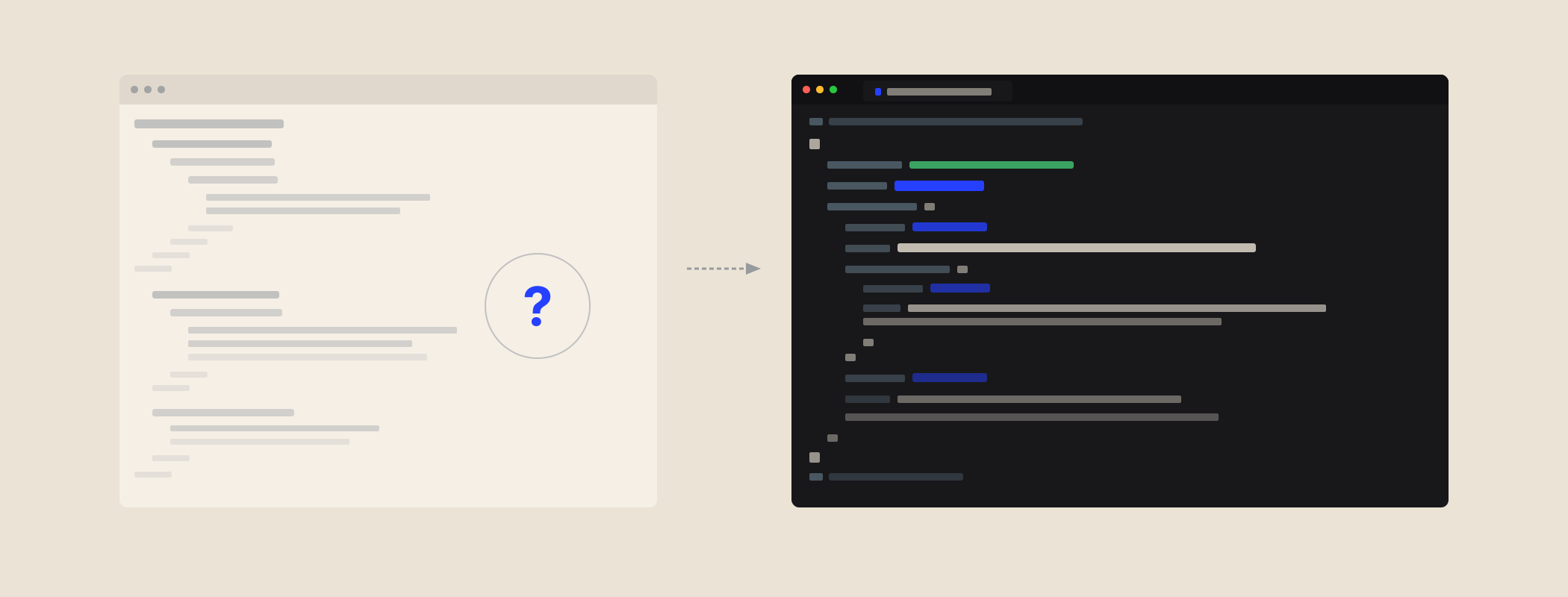
A bot can read this text, sure. But the class names - section-wrapper, content-inner, heading-block - are naming conventions invented by your developer. They mean something to your team. They mean nothing to an AI system trying to understand whether this content is a FAQ, a pricing page, a blog post, or a product description.
The bot has to infer. It looks at surrounding context, heading hierarchy, keyword density, page URL, and dozens of other signals to guess what type of content it's dealing with. Sometimes it guesses right. Often it doesn't. And when it doesn't, citations are imprecise at best and missing at worst.
Schema solves this at the root. Instead of asking the AI to infer, you're declaring.
Schema is a declaration, not a hint
JSON-LD schema markup is a block of structured data that sits inside a <script> tag in your page's <head>. It uses a shared, standardised vocabulary from schema.org - a vocabulary maintained by Google, Microsoft, Yahoo, and Yandex, and now widely used by AI systems as a reference layer.
Here's what the same pricing FAQ looks like as schema:
{
  "@context": "https://schema.org",
  "@type": "FAQPage",
  "mainEntity": [{
    "@type": "Question",
    "name": "What does the Growth plan include?",
    "acceptedAnswer": {
      "@type": "Answer",
      "text": "Six articles a month, one sales one-pager, LinkedIn repurposing..."
    }
  }]
}
No rendering required. No inference needed. The bot reads the head tag, hits the JSON-LD block, and immediately knows: this is a FAQ. Here is the question. Here is the answer. This is usable.
That's the fundamental difference. HTML structure is something AI systems have to interpret. Schema is something they can read directly.
Why schema shows up in AI answers
When ChatGPT, Perplexity, Claude, or Google AI Overviews generates a response to a user question, it's pulling from indexed content. The content it can extract cleanly and attribute accurately is what gets cited.
Think about what FAQPage schema actually is from the perspective of an AI system: it's a pre-formatted question and answer, machine-readable, with a clear source URL attached. It's almost identical to how AI systems present information to users. The system doesn't have to reformat, restructure, or guess at the relevance - it can take the Q&A pair and use it directly.
Organisation schema is similarly powerful for entity recognition. It tells the AI: this is who we are, this is what we do, here are our social profiles and official URLs. Without that, an AI system trying to mention your company in a response has to triangulate from scraped mentions across the web. With Organisation schema, it has a single authoritative source.
Article schema with datePublished and dateModified signals freshness. AI systems - particularly Google AI Overviews - weight recent content heavily. A page without date signals could be treated as stale even if it was updated last week. Article schema makes the publication and modification dates explicit and verifiable.
The rendering queue problem (and why schema bypasses it)
Here's the practical sequence of events when a bot crawls a JavaScript-heavy site:
- Bot makes HTTP GET request to your URL
- Server returns HTML document (possibly just a shell with script tags)
- Bot reads what's in the HTML immediately - including any JSON-LD in the head
- If JavaScript rendering is needed, bot queues the page for a second pass
- The second pass may happen hours, days, or weeks later - or not at all if crawl budget is tight
- Only after the second pass does the full rendered content get indexed
Schema in the <head> is available at step 3. It doesn't require rendering. It doesn't wait for the queue. Every crawl reads it.
This is why schema is disproportionately valuable for JavaScript-heavy sites. You might not be able to control whether your React components render correctly for every bot on first crawl. But you can absolutely control what's in your JSON-LD block - and that block is available to every crawler, every time.
The schema types AI systems lean on most
Not all schema types are equally useful for AI citation. These are the ones doing the heaviest lifting:
FAQPage - The single highest-value type for AEO (answer engine optimisation). Marks up question-and-answer pairs directly. AI systems pull these verbatim when generating answers. The text in the schema should match the text on the page exactly - mismatches can trigger Google penalties and reduce trust signals.
Organization - Your entity declaration. Who you are, what you do, where to find you, what your social profiles are. Goes on every page in a shared layout. Without it, AI systems have to guess who the publisher is. With it, they know. This is the single most important schema type for brand recognition and entity disambiguation.
Article - Signals content type, author, publication date, modification date, and topic. Particularly important for freshness signals in AI Overviews. Every blog post and resource should have Article schema with dateModified kept current.
Service - Describes what you offer, who you serve, and where. For B2B service businesses, this is how AI systems understand and describe your offering when someone asks about your category. Without it, AI has to infer your services from your page copy - which can lead to generic or inaccurate descriptions.
BreadcrumbList - Helps AI systems understand site structure and where content fits within the broader site hierarchy. Also generates breadcrumb display in SERPs, which improves click-through rates.
These five types work as a system. Organisation links to Person (your founder or team), which links to the Articles they wrote, which sit under the BreadcrumbList hierarchy of your site. When an AI system builds an entity graph of your brand, it's traversing these links. The more complete the graph, the more confident the citation.
What happens to sites without schema
Without schema, AI systems are doing all the work you could have done for them. They're reading your HTML, inferring what type of content it is, guessing who wrote it, estimating when it was published, and deciding whether it's worth citing. Every one of those inferences is a place where they can get it wrong.
The practical consequences are hard to measure because they're mostly about things that don't happen: citations you don't get, AI Overview appearances that go to a competitor, knowledge panel entries that never resolve correctly. You don't see the missed citations - you just see a flat graph in Search Console while competitors show up in AI-generated answers for your own category terms.
There's also a compounding effect. AI systems train on data that includes existing AI-generated content. Sites that are consistently cited in AI answers build up a presence in the training data. Sites that aren't cited don't. Schema is one of the primary signals that gets you into that citation loop in the first place.
A note on llms.txt (the schema-adjacent layer)
Schema is the structured data layer inside individual pages. llms.txt is a newer convention - a plain text file at the root of your site that gives AI systems a high-level map of what your site contains and how to use it. They serve different purposes but work together.
Schema tells AI what a specific page is. llms.txt tells AI what your entire site is for and which parts of it are most relevant for AI consumption. For B2B sites trying to maximise AI citation coverage, both are worth implementing - schema first (it's more established and more directly impactful), llms.txt second.
Implementing schema without a developer
For most B2B sites, schema implementation doesn't require a developer - it just requires knowing where to put it. JSON-LD blocks go in the <head> as a <script type="application/ld+json"> tag. Most CMS platforms (WordPress, Webflow, HubSpot, Squarespace) allow you to inject into the head via a custom code field or a plugin.
The basic implementation sequence:
- Start with Organisation schema on every page (drop it into your shared layout or header)
- Add Article schema to every blog post and resource page
- Add FAQPage schema to any page with a Q&A section - homepage, service pages, key blog posts
- Add Service schema to each core service or product page
- Add BreadcrumbList to every page that isn't the homepage
- Validate everything with schema.org/validator and Google's Rich Results Test
If you want a deeper breakdown of each type with code examples, the post on the six schema types that actually matter for B2B SaaS covers each one in detail.
The investment is low. The upside - in AI citation coverage, rich result eligibility, and entity recognition - is disproportionately high. For most B2B sites, schema is the highest-ROI technical change available. And unlike most SEO work, it doesn't take months to kick in. A well-implemented schema block is readable by AI crawlers the next time they fetch your page.
Where this fits: This is one piece of technical SEO & schema for AI search, which sits inside AEO foundations. The whole method, step by step, is in the AI Search Playbook.